DSGA Tools
A Windows desktop app that turns a handwritten yearly golf schedule into a typed schedule and a financial projection, both in Excel. It also compares language models on both jobs.
- Built for
- The secretary of the Dixie Seniors Golf Association (DSGA).
- Status
- In use by the league secretary since October 2026.
- My role
- Requirements, design rules, testing, and decisions. Claude Code wrote all the code.
- Built with
- Electron, TypeScript, and React. Every model call goes through OpenRouter.
- Timeline
- First commit September 11, 2026. First version delivered September 24, 2026.
- Size
- About 11,400 lines of code, 802 unit tests, and 42 pull requests.
The problem
Each fall, one DSGA officer spends 3 to 4 hours turning a handwritten schedule into two spreadsheets.
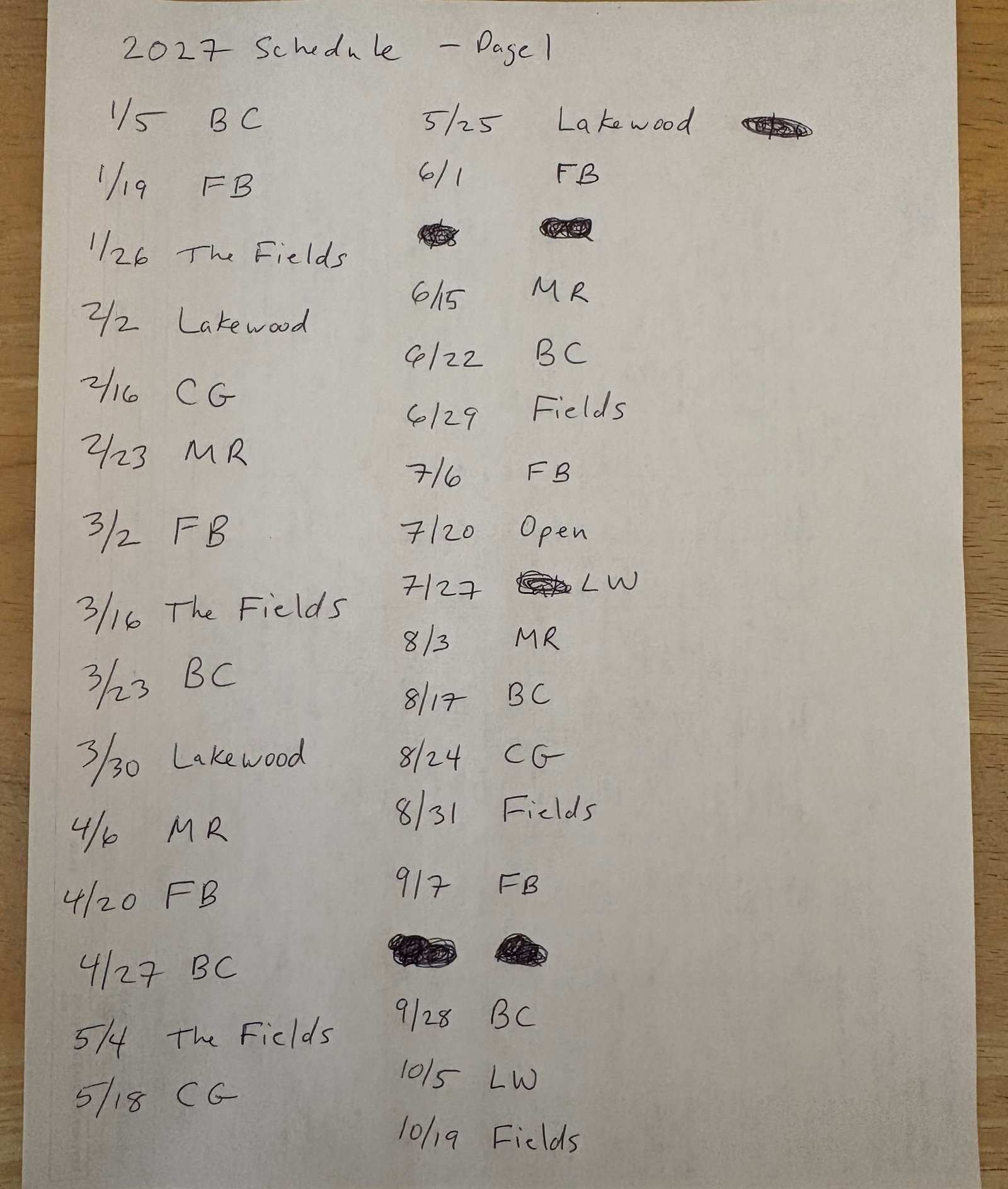
The league president handwrites next year’s tournament schedule, with each tournament falling on a Tuesday. The secretary types it up. He then builds a financial projection from it, estimating how many golfers will play in each tournament from past turnout at the same courses.
It is a small problem: a few hours a year for one person. I chose it for two reasons. It is real work for a user who is not me. More importantly, it let me build what I most wanted to show: a working set of evals.
What I built
DSGA Tools does two jobs for the secretary and one for me.
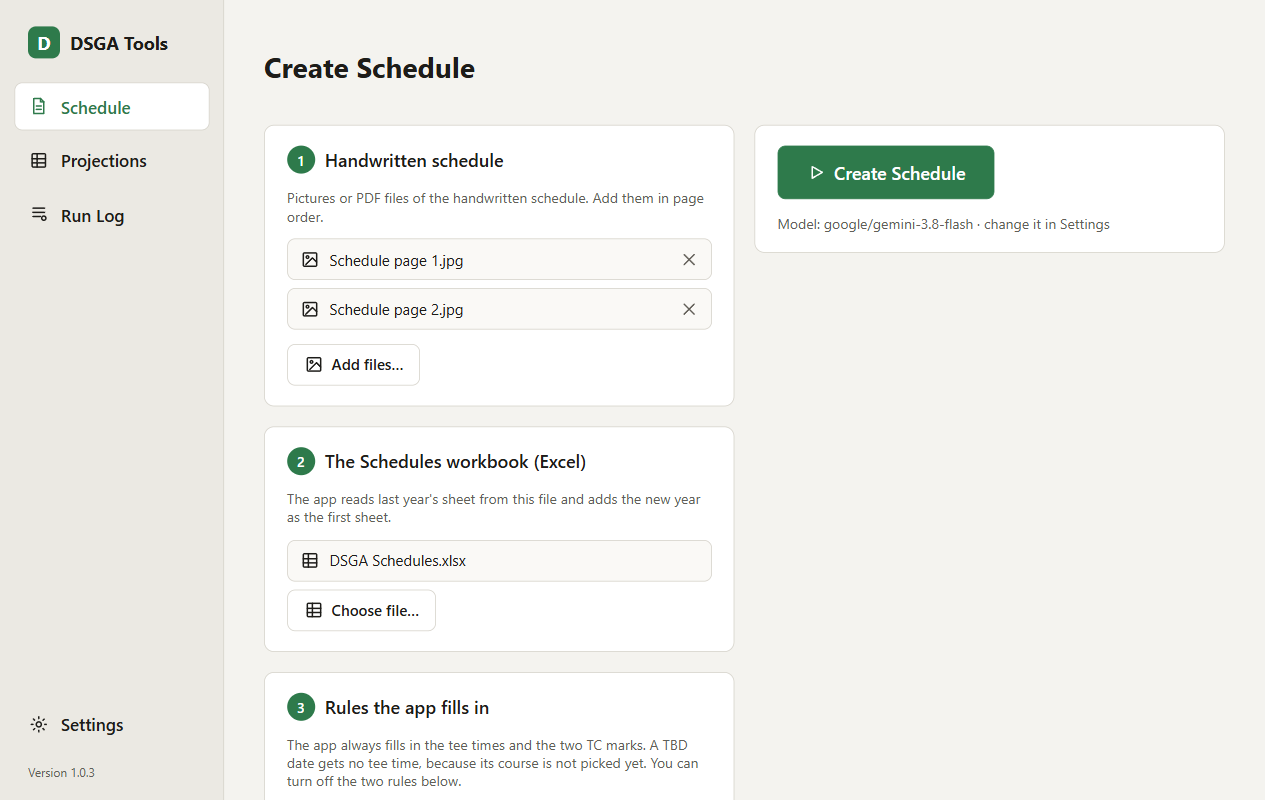
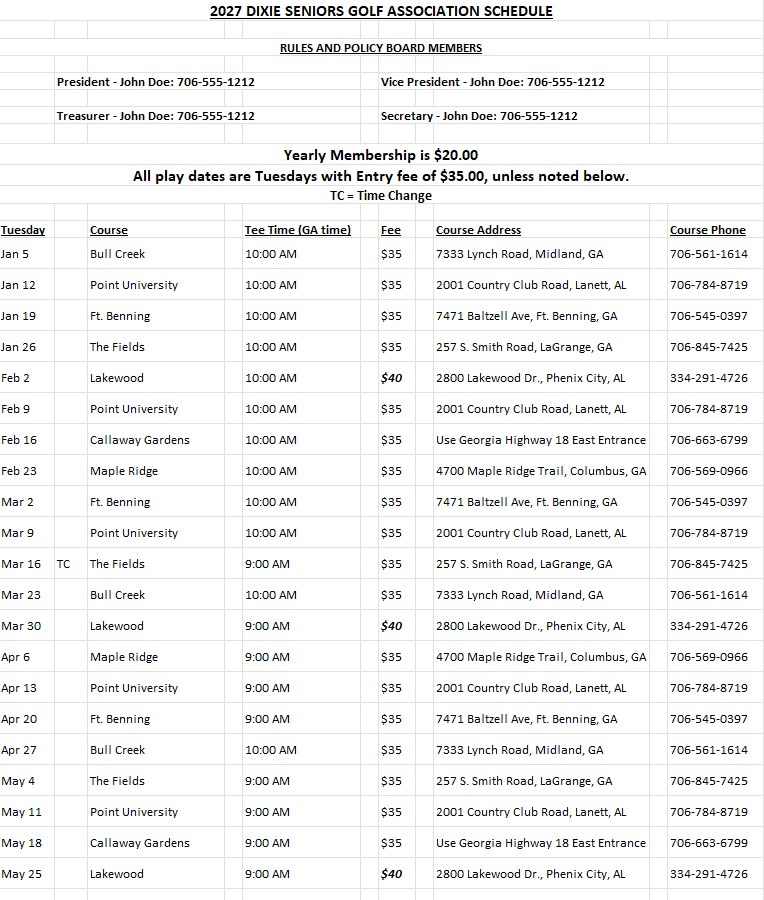
- Create Schedule reads photos or a PDF of the handwritten schedule. It adds next year’s sheet to the league’s schedule workbook, laid out like the previous year’s.
- Create Projections estimates turnout for each tournament and adds next year’s sheet to the league’s projections workbook. The sheet’s own formulas work out course costs, fees collected, payouts, and profit or loss.
- Eval tools run the same job through several models and score the results. They sit behind a switch in Settings, so the secretary never sees them.
How it works
The model never writes an Excel file. It returns structured data, and code validates that data and builds the workbook. This keeps the output predictable, cheap, and easy to score.
Create Schedule
- The user adds pictures of the handwritten schedule and picks the league’s schedule workbook.
- Code resizes the pictures so every model gets the same input. It reads last year’s sheet for the header, the known courses, and their details.
- A vision model reads the handwriting. It lists each tournament, skips crossed-out text, and flags anything it cannot read.
- Code checks every tournament: a valid date, a Tuesday, no duplicates, a known course. Code also applies the league’s rules, such as tee times by season and open dates for skipped Tuesdays.
- Every problem becomes a question for the user. He answers, the model corrects its reply, and code checks it again.
- Code writes the new sheet into the workbook.
Create Schedule
Photos or a PDF of the handwritten schedule, and the schedule workbook.
Resizes the pictures. Reads last year’s sheet.
Lists each tournament. Flags anything it cannot read.
Dates, Tuesdays, duplicates, courses, and league rules.
The user answers. The model corrects its reply. Code checks it again.
Adds next year’s sheet to the schedule workbook.
Create Projections
- Code loads the schedule and reads past attendance from the league’s financial workbook. It removes canceled days and duplicates.
- The user confirms each course’s fees.
- A model gets the schedule, the fees, and the cleaned history. For each tournament, it returns a turnout estimate and a one-sentence reason explaining why it chose the number it did.
- Code checks the estimates. One that falls more than 15 players outside a course’s past range becomes a question.
- Code writes the projection sheet.
Create Projections
The schedule and past attendance. Removes canceled days and duplicates.
The user confirms each course’s fees.
For each tournament, an estimate and a one-sentence reason.
An estimate far outside a course’s past range becomes a question.
The sheet’s formulas calculate every dollar amount.
The model supplies only two columns on the projection sheet: the estimate and its reason. The secretary then reads each reason and changes any estimate he does not agree with.
My role and the AI’s
Claude Code wrote all the code. I set the requirements, tested the app, and made the decisions. Each build stage had a written spec and a build plan before any code was written.
Two design rules were mine:
- Ask, don’t guess. I did not want the model to assume anything. If something is unclear, it asks. A question during the run costs less time than fixing the files afterward.
- Every model call goes through OpenRouter. I wanted to test many models, and OpenRouter gives access to hundreds through one account.
Other important choices were Claude Code’s proposals, which I approved. They include having the model return data while code writes the files and hiding each model’s identity from the judge.
The user changed the requirements once. The schedule began as a Word document. On September 21 he asked for Excel instead, and the Word code was removed.
How I know it works
Tests. There are 802 unit tests and 23 smoke tests that drive the app. All of them use a fake model service, so no automated test calls a real model.
Evals. Each run can be scored four ways.
| Score | Done by | What it measures |
|---|---|---|
| Rules | Code | Things the model must always do, such as valid dates and exact course names. It runs after every reply, at no cost. |
| Answer key | Code | Schedule only. It compares the model’s raw reply with a hand-checked key, tournament by tournament, at no cost. |
| Judge | A second model | Yes-or-no answers to a written rubric. The judge is not told which model did the work. Each judge call costs money. |
| Human review | Me | A form rating the final file, including whether it could be handed out with no edits. |
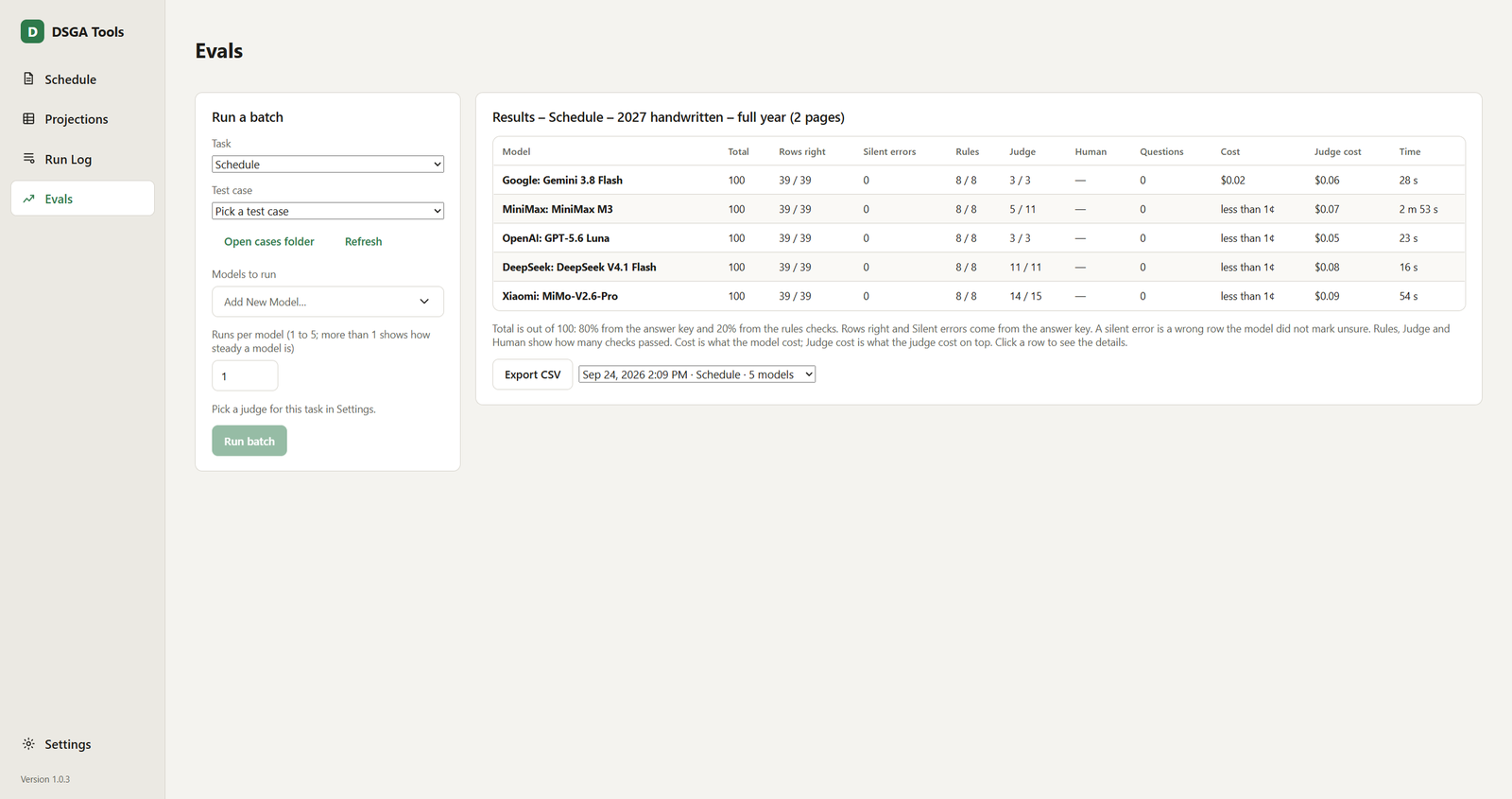
The schedule’s total score ranks the models: 80% comes from the answer key and 20% comes from the rules. Each mistake on the answer key costs 1 point. A mistake is a missed tournament, an extra tournament, or a tournament with a wrong detail, such as the wrong course. A model can mark a tournament it is not sure about, and the app then asks the user about it. A wrong detail that the model did not mark costs 2 points instead of 1, because it can reach the file unnoticed. So the score rewards a model that asks instead of guessing.
Projections have no answer key, because nobody knows the real turnout yet. The judge score ranks them.
Results
Schedule. All seven models scored 100, with every tournament right and no silent errors. Five read a full-year schedule of 39 handwritten tournaments, and two read a sample of 11. (The full year also has 12 tournaments that the app adds itself, because one course is always played on the second Tuesday of the month.) A run cost between $0.002 and $0.025 and took 13 to 173 seconds. For this job, the choice comes down to cost and speed.
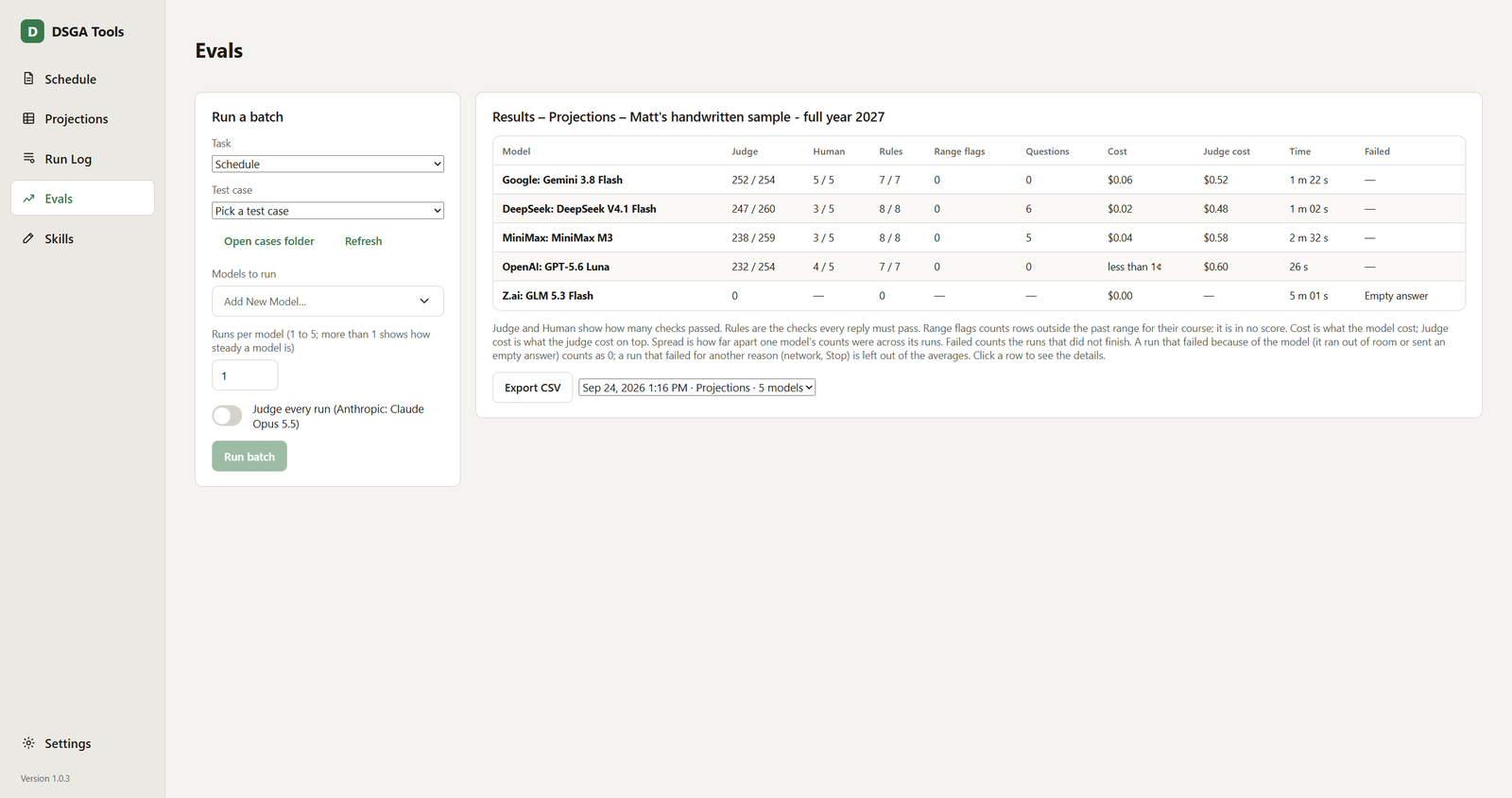
Projections, full year of about 50 tournaments. The judge was Claude Opus 5.5.
| Model | Judge score | Cost per run | Time |
|---|---|---|---|
| Gemini 3.8 Flash | 99.2% | $0.064 | 82 s |
| DeepSeek V4.1 Flash | 95.0% | $0.023 | 62 s |
| MiniMax M3 | 91.9% | $0.035 | 152 s |
| GPT-5.6 Luna | 91.3% | $0.007 | 26 s |
A fifth model, GLM 5.3 Flash, failed on a provider error and got no score. In an earlier batch of 20 tournaments, GLM 5.3 Flash scored 95 to 96% and Claude Haiku 4.5 scored 56 to 59%. Haiku was about 12 times faster.
The app’s manual recommends Gemini 3.8 Flash for both jobs.
What went wrong
Most of the problems came from how the models and the provider behaved, and from my own evals.
- Thinking models ran out of room. A model’s reasoning counts against its reply limit. At 8,000 tokens, one model reasoned until the limit and returned nothing. The limit is now set per model, up to 80,000 tokens.
- An error arrived looking like a success. When Google rate-limited Gemini, OpenRouter sent back a normal reply with the error inside it. The app told the user the model “did not give a usable answer”. It now reads the error code inside the reply.
- The batch table hid the judge’s cost. The judge is Claude Opus 5.5, a much more expensive model than the ones it judges. Across four batches, the models cost $0.24 and the judge cost $3.63. At first the batch table left out the judge’s cost, so batches looked cheaper than they were.
- The schedule judge does not treat models equally. The judge scores one item for the whole reply, one for each tournament it marked unsure, and two for each note and each question. One model was judged on 3 items and another on 15, and a model could raise its score by writing more easy notes. The judge score is not part of the total that ranks the models, so the rankings were not affected.
- Failed runs disappeared from averages. A model that failed four of five runs could show the average of its one good run. I fixed this after the initial release. Now a run the model caused to fail counts as 0, and a new column shows every failure.
- The Excel library damaged the file. Re-saving through it dropped 9 of the 15 columns from a table definition. All writing now edits the workbook’s XML directly.
Status
The app has done its real job once, and it took about 20 minutes.
The secretary ran both jobs on the president’s 2027 schedule. Using the app, it took about 5 minutes. He then spent about 15 minutes checking the schedule and the projection. The old way took 3 to 4 hours.
The schedule was 100% correct. He changed a turnout estimate for one tournament.