Let’s Geek Out event agents
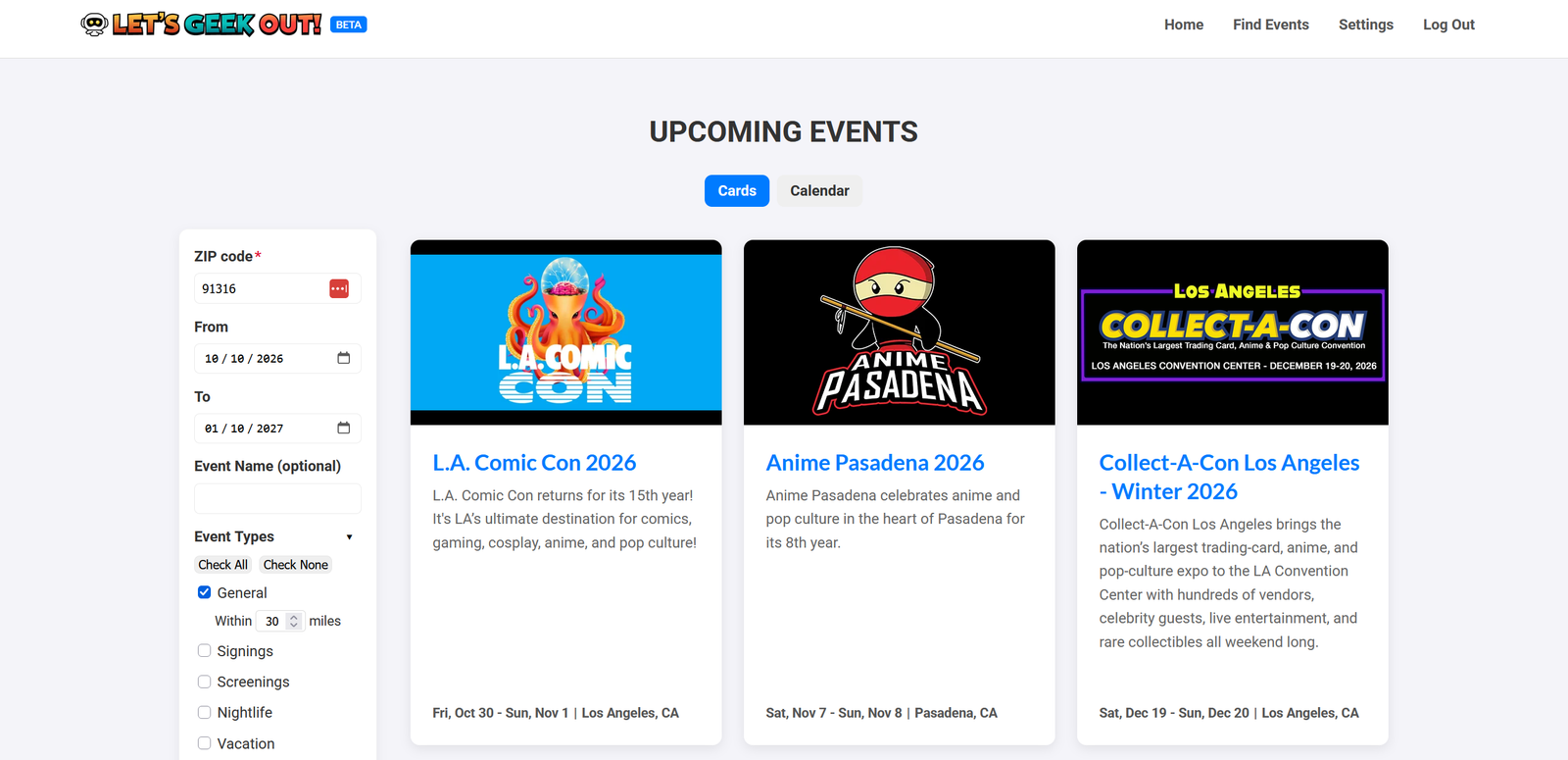
Two AI agents searched the web for fan events in Southern California, and a third added each one to my events site as a draft listing. I approved or rejected every draft. They ran for four months in 2026 but are now inactive.
- Built for
- Let’s Geek Out, my own listings site for comics, anime, gaming, and other fan events in Southern California.
- Status
- Shut down on July 16, 2026, when I stopped updating the site.
- Figures
- Agent figures come from the agents’ own records, which end on July 16, 2026. Approval figures come from a copy of the site’s live database.
- My role
- The design ideas listed below, the decisions about what belongs on the site, and the approve-or-reject call on every draft. Claude Code wrote all the code.
- Built with
- Python, SQLite, and Playwright. MiniMax M2.7 was the main model and GPT-5 mini was the backup. No agent framework — the agents call the models directly.
- Timeline
- First commit March 8, 2026. First recorded run March 21, 2026. Last run July 16, 2026.
- Size
- About 18,600 lines of Python, about 22,700 lines of tests, and 741 commits.
The problem
Adding new events to the site took me 1 to 3 hours a day.
I visited each source website, searched it for events, and typed every event into the site’s admin portal. The 1 to 3 hours is my own estimate. Nothing timed it.
I wanted that time back. But the main reason I built the agents was to learn how to build them.
What I built
Three agents, each with one job, and two tools for me.
- Scout agent visits a list of source pages and runs searches on event platforms. A model reads each page and gives every event a yes, a maybe, or a no.
- Screening agent handles repertory cinema pages. “Screening” here means a film screening.
- Data agent takes each “yes” and checks that the site does not already have it. It matches the venue and the organizer to ones the site knows, then sends the event to the site as a draft.
- Daily report is a text file written each morning. It lists every run and every warning.
- Dashboard is a local web page. I used it to decide yes or no on the events the agents marked “maybe”, and to read the daily report.
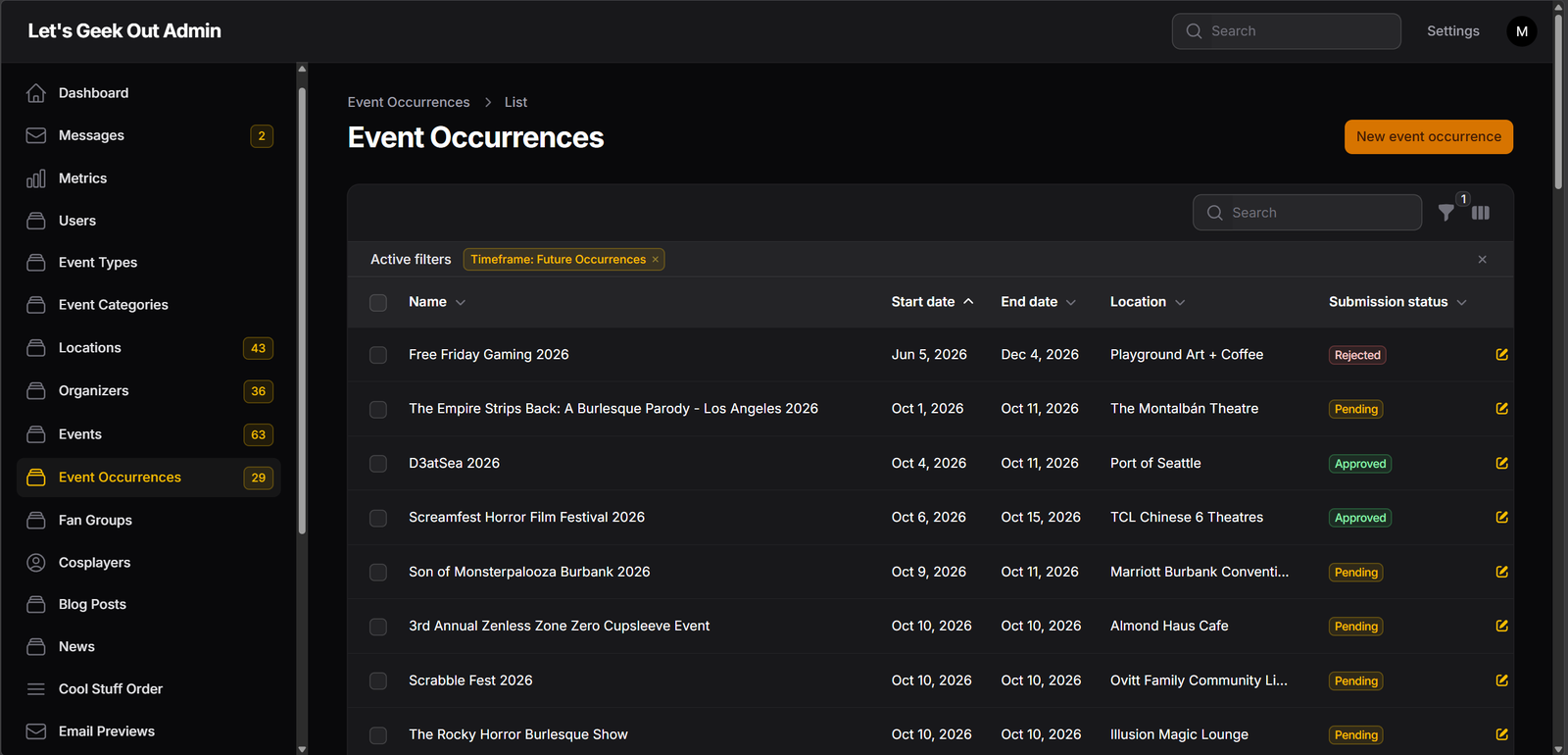
Nothing an agent sends is public. A draft appears on the site only after I approve it in the admin portal.
Reads source pages and event platforms. Marks each event yes, maybe, or no.
Reads cinema pages. Marks each screening yes, maybe, or no.
Events wait in a database on my computer.
I decide yes or no.
Checks for duplicates, matches the venue, and sends the event to the site.
Not public. The site runs its own checks.
I approve, fix, or reject it in the admin portal.
Only approved events appear on the site.
How it works
The model reads pages and makes judgment calls. Code fetches, checks, matches, and sends. I make the final call.
- Schedule Code
Windows Task Scheduler starts each job on my desktop computer. The Scout agent runs at the top of every hour, and the Data agent runs every hour on the half hour. The Screening agent runs once a day on the cinema pages the Scout flags, and once a month on its own list of cinema sites. - Fetch Code
The Scout takes one search that is due: a single site with specific search parameters. It looks at up to 5 pages of search results. It loads each page in a browser and strips it down to about 15,000 characters of text. - Read and decide Model
The model reads that text. It returns each event it finds, with a yes, maybe, or no and a reason. - First duplicate check Code
The Scout compares each event with the ones it has already found. A near match on the name counts only if the start date matches too. Without that rule, this year’s convention would be merged with last year’s. - Queue CodeMe
Events go into a local database. When the Scout or the Screening agent is not sure an event fits, it marks it “maybe”. I see those on my dashboard and decide yes or no. A yes then goes to the Data agent like any other event. Film screenings go to the Screening agent. - Check against the site CodeModel
The Data agent asks the site whether the event is already there. When two events are a near match, a model decides whether they are the same one. Events with missing required details are skipped. - Match the venue CodeModel
There are two rules. If the event has an address, a loose name match is enough, and the agent may add a new venue. If it has no address, the name must match almost exactly, in the same city, and the agent may only reuse a venue the site already has. With no address, nothing would catch a wrong guess. - Send a draft Code
The agent sends the event through the site’s API. The site runs its own checks and saves what passes as a draft. It refused 12 malformed drafts. - Review Me
I approve, fix, or reject each draft in the admin portal. The public pages show approved events only.
When the model fails. The code sorts errors into two kinds. Network and server errors are retried, then sent to the backup model. Errors a retry cannot fix, such as a bad key, are not retried. If both models fail, the agent drops that one page and carries on. The run is marked partial or failed, and the scheduler starts the next run as usual.
My role and the AI’s
Claude Code wrote all the code.
Five of the design ideas were mine:
- Agents write drafts and a person publishes. I did not want a model publishing to a public site unchecked. A wrong draft costs me a minute. A wrong listing costs the site its credibility.
- Three agents, not one. The jobs were different enough that each agent needed its own instruction files and its own code.
- Duplicate checks at several layers. The same event appears on many websites, and a listings site with duplicates looks careless.
- A review before each agent went live. I had Claude review each agent’s code before I turned it on. I went through the findings one at a time and approved or declined each fix.
- A backup model. If MiniMax could not be reached, the agents switched to GPT-5 mini.
Other important choices were Claude’s proposals, which I approved. They include using no agent framework, the two venue rules, the sorting of errors into two kinds, and a warning for cinema pages that produced nothing.
I chose MiniMax M2.7 because, at the time, it was one of the least expensive models that did the task well.
Claude Code also did the measuring. In August 2026 I asked it to audit the agents’ records and the site’s data. In October 2026 it checked the figures again against a fresh copy of the site’s live database. Most of the figures below come from those two audits. The model cost comes from MiniMax’s billing export.
Improving the instructions
As the agents ran, I read their drafts. When I saw the same mistake more than once, I had the instruction files changed. Most fixes had two parts: a change to the instructions, and a code check that catches the mistake if the model makes it again. Two examples:
- Venue names that were not places. The Screening agent sometimes put an organizer, such as Cinespia, or a film program, such as Studio Ghibli Fest, in the venue field. Neither one is a place, so the agent could not find an address, and its error message hid the real cause. The instructions now say that a venue must be a physical place with a street address. The code also checks a short list of known non-venue names and gives a clear error message.
- A rule that the model followed too literally. The Scout agent added the year to names that were already unique, such as “25th Anniversary Concert 2026”. The first fix gave examples of names that need no year. The model obeyed the examples but missed the idea, and still wrote “2nd Annual Pocket Monster Rave 2026”. The second fix stated the idea: a name with a number such as “2nd Annual” is already unique. It also gave the opposite case: “L.A. Comic Con” needs the year, because the name alone could mean any year.
Results
The agents sent 794 drafts to the site. I reviewed 611 of them one at a time, and I approved 442, or 72.3%.
| Measure | Figure | Period in 2026 |
|---|---|---|
| Pages the Scout processed | 10,233 | March 21 to July 16 |
| Candidate events the Scout recorded | 1,068 | March 14 to July 14 |
| Drafts sent to the site | 794 | March 14 to July 14 |
| Recorded runs | 3,124 | March 21 to July 16 |
| Runs that failed or only partly finished | 106, or 3.4% | March 21 to July 16 |
| MiniMax bill | $47.99 | March 17 to July 16 |
How 794 drafts became 611
| Step | Drafts |
|---|---|
| Sent to the site, March 14 to July 14, 2026 | 794 |
| Deleted from the site as duplicates or tests | 104 |
| Still waiting for my review | 29 |
| Rejected all at once (past events) | 50 |
| Reviewed one at a time | 611 |
| Approved | 442, or 72.3% |
| Rejected | 169 |
Approval rate by source
The agents did best on sources I picked by hand, and worst on cinema pages. The two 100% rows rest on only 8 and 12 events, so they are too small to mean much.
| Where the agents found the event | Approved |
|---|---|
| A single web page I gave the Scout by hand | 100% (8 of 8) |
| One film series that a one-off script split into its 12 showings | 100% (12 of 12) |
| A queue of web pages I picked, each read once | 90.9% (20 of 22) |
| A fixed list of organizer and venue websites I picked | 77.8% (14 of 18) |
| Searches on event platforms | 72.0% (224 of 311) |
| Cinema pages, read by the Screening agent | 64.5% (69 of 107) |
| Not recorded: events found before April 2, 2026, when the agents started to record where they found each one | 71.4% (95 of 133) |
| Total | 72.3% (442 of 611) |
- Every reviewed draft has a real verdict. A draft waits until I approve or reject it. So 72.3% is my decision on each draft, not the agent’s opinion of itself.
- Why I rejected drafts. Three reasons: the event was not a good fit for the site, the site already listed it under a slightly different name, or the agent made a poor record. The third was rare. When a draft had a wrong detail, I usually fixed it and approved it, so those mistakes do not show in the 72.3%.
- What happened to the 1,068 candidates. 794 became drafts. 58 were caught as duplicates of events already on the site. 83 were skipped, mostly for a missing address. 1 failed. The Scout recorded 91 as a “no”. 41 were a “maybe” and were still waiting for my yes or no when the agents stopped.
- Cost. The bill works out to about 6 cents for each draft sent. It ran at about $14 a month in April, May, and June 2026. It covers every call on the agents’ API key, including any test calls. It leaves out the backup model, which handled 29 of 11,443 logged calls.
My review time. A draft that needed no editing took me 1 to 2 minutes to approve or reject. A draft with no image took 2 to 3 minutes more, to find one and upload it. Some drafts needed fixes, because the model did not always record the details correctly. These are my estimates. Nothing timed the review, and nothing counted the fixes. With the agents running, I estimate the site took me 20 to 60 minutes a day, instead of 1 to 3 hours. The time depended on how many records I had to fix and how many images I had to find.
What went wrong
The agents did the easy part of the job, and the system told me too little about its own failures.
- The agents could not read some of my sources. Instagram pages are one example. I still had to check those myself and manually enter what I found.
- Nothing told me when the agents stopped. The daily report was a file on my computer. If the scheduler died, the only sign was a missing file.
- Many rejected drafts were film screenings. At least 28% of the 169 drafts I rejected were film screenings. The Screening agent had written rules for which ones should qualify, but Los Angeles has too many repertory screenings each month to list them all. Therefore, I was picky about which ones I included. For example, the agent sometimes sent an obscure horror film that I did not want on the site. I could not write a complete rule for these choices, because some of them were gut calls.
- A duplicate check threw away a real event. “Star Wars: Episode VI – Return of the Jedi” was matched to “Episode III – Revenge of the Sith” and dropped as a duplicate. The two titles share most of their words, and both showings were on the same day, so the date rule did not help. Nothing flagged it.
- A cheap model cost me review time. MiniMax M2.7 made small mistakes with the event details too often. If I did this again, I would use a more capable model.
Status
The agents are no longer running, and I do not plan to restart them.
I turned them off on July 16, 2026, when I decided to stop updating the website.
The site is still online, as of October 9, 2026. I plan to replace it with a closing notice in the near future.